5 giu 2020

Chapter 1To 5 HTML

Contents

 
About
 
................................................................................................................................................................................... 1
 
Chapter 1: Getting started with HTML
 
................................................................................................................ 2
 
Section 1.1: Hello World 2
 
Chapter 2: Doctypes
 
.................................................................................................................................................... 4
 
Section 2.1: Adding the Doctype 4
Section 2.2: HTML 5 Doctype 4
 
Chapter 3: Headings
 
.................................................................................................................................................... 5
 
Section 3.1: Using Headings 5
 
Chapter 4: Paragraphs
 
.............................................................................................................................................. 6
 
Section 4.1: HTML Paragraphs
Chapter 5: Text Formatting
 
.....................................................................................................................................  6
.....................................................................................................................................  7
 
Section 5.1: Highlighting 7
Section 5.2: Bold, Italic, and Underline 7
Section 5.3: Abbreviation 8
Section 5.4: Inserted, Deleted, or Stricken 8
Section 5.5: Superscript and Subscript 8
 
Chapter 1: Getting started with HTML

Version Specification Release Date
1.0 N/A 1994-01-01
2.0 RFC 1866
1995-11-24
3.2 W3C: HTML 3.2 Specification
1997-01-14
4.0 W3C: HTML 4.0 Specification
1998-04-24
4.01 W3C: HTML 4.01 Specification
1999-12-24
5 WHATWG: HTML Living Standard
2014-10-28
5.1 W3C: HTML 5.1 Specification
2016-11-01
Section 1.1: Hello World
Introduction

HTML (Hypertext Markup Language) uses a markup system composed of elements which represent specific content. Markup means that with HTML you declare what is presented to a viewer, not how it is presented. Visual representations are defined by Cascading Style Sheets (CSS) and realized by browsers. Still existing elements that allow for such, like e.g. font, "are entirely obsolete, and must not be used by authors"[1].
HTML is sometimes called a programming language but it has no logic, so is a markup language. HTML tags provide semantic meaning and machine-readability to the content in the page.
An element usually consists of an opening tag (<element_name>), a closing tag (</element_name>), which contain the element's name surrounded by angle brackets, and the content in between:
<element_name>...content...</element_name>

There are some HTML elements that don't have a closing tag or any contents. These are called void elements. Void elements include <img>, <meta>, <link> and <input>.
Element names can be thought of as descriptive keywords for the content they contain, such as video, audio, table, footer.
A HTML page may consist of potentially hundreds of elements which are then read by a web browser, interpreted and rendered into human readable or audible content on the screen.
For this document it is important to note the difference between elements and tags:

Elements: video, audio, table, footer

Tags: <video>, <audio>, <table>, <footer>, </html>, </body>


Element insight

Let's break down a tag...

The <p> tag represents a common paragraph.

Elements commonly have an opening tag and a closing tag. The opening tag contains the element's name in angle brackets (<p>). The closing tag is identical to the opening tag with the addition of a forward slash (/) between the opening bracket and the element's name (</p>).
Content can then go between these two tags: <p>This is a simple paragraph.</p>.
 
Creating a simple page

The following HTML example creates a simple "Hello World" web page.

HTML files can be created using any text editor. The files must be saved with a .html or .htm[2] extension in order to be recognized as HTML files.

Once created, this file can be opened in any web browser.


Simple page break down

These are the tags used in the example:

Tag Meaning
<!DOCTYPE> Defines the HTML version used in the document. In this case it is HTML5.
See the doctypes topic for more information.
Opens the page. No markup should come after the closing tag (</html>). The lang attribute declares
 
<html>


<head>


<meta>
 
the primary language of the page using the ISO language codes (en for English). See the Content Language topic for more information.
Opens the head section, which does not appear in the main browser window but mainly contains information about the HTML document, called metadata. It can also contain imports from external stylesheets and scripts. The closing tag is </head>.
Gives the browser some metadata about the document. The charset attribute declares the character encoding. Modern HTML documents should always use UTF-8, even though it is not a requirement. In HTML, the <meta> tag does not require a closing tag.
See the Meta topic for more information.
 
<title> The title of the page. Text written between this opening and the closing tag (</title>) will be displayed on the tab of the page or in the title bar of the browser.
<body> Opens the part of the document displayed to users, i.e. all the visible or audible content of a page. No content should be added after the closing tag </body>.
<h1> A level 1 heading for the page.
See headings for more information.
<p> Represents a common paragraph of text.

1. ↑ HTML5, 11.2 Non-conforming features
2. ↑ .htm is inherited from the legacy DOS three character file extension limit.
 
Chapter 2: Doctypes

Doctypes - short for 'document type' - help browsers to understand the version of HTML the document is written in for better interpretability. Doctype declarations are not HTML tags and belong at the very top of a document. This topic explains the structure and declaration of various doctypes in HTML.
Section 2.1: Adding the Doctype
The <!DOCTYPE> declaration should always be included at the top of the HTML document, before the <html> tag.

Version ≥ 5

See HTML 5 Doctype for details on the HTML 5 Doctype.


Section 2.2: HTML 5 Doctype
HTML5 is not based on SGML (Standard Generalized Markup Language), and therefore does not require a reference to a DTD (Document Type Definition).
HTML 5 Doctype declaration:

Case Insensitivity

Per the W3.org HTML 5 DOCTYPE Spec:

A DOCTYPE must consist of the following components, in this order:

1. A string that is an ASCII case-insensitive match for the string "<!DOCTYPE".

therefore the following DOCTYPEs are also valid:


This SO article discusses the topic extensively: Uppercase or lowercase doctype?
 
Chapter 3: Headings

HTML provides not only plain paragraph tags, but six separate header tags to indicate headings of various sizes and thicknesses. Enumerated as heading 1 through heading 6, heading 1 has the largest and thickest text while heading 6 is the smallest and thinnest, down to the paragraph level. This topic details proper usage of these tags.
Section 3.1: Using Headings
Headings can be used to describe the topic they precede and they are defined with the <h1> to <h6> tags. Headings support all the global attributes.

<h1> defines the most important heading.
<h6> defines the least important heading.

Defining a heading:

Correct structure matters

Search engines and other user agents usually index page content based on heading elements, for example to create a table of contents, so using the correct structure for headings is important.
In general, an article should have one h1 element for the main title followed by h2 subtitles – going down a layer if necessary. If there are h1 elements on a higher level they shoudn't be used to describe any lower level content.

Example document (extra intendation to illustrate hierarchy):

 
Chapter 4: Paragraphs

Column Column
<p> Defines a paragraph
<br> Inserts a single line break
<pre> Defines pre-formatted text

Paragraphs are the most basic HTML element. This topic explains and demonstrates the usage of the paragraph element in HTML.

Section 4.1: HTML Paragraphs

The HTML <p> element defines a paragraph:


Display-

You cannot be sure how HTML will be displayed.

Large or small screens, and resized windows will create different results.

With HTML, you cannot change the output by adding extra spaces or extra lines in your HTML code. The browser will remove any extra spaces and extra lines when the page is displayed:
 
Chapter 5: Text Formatting

While most HTML tags are used to create elements, HTML also provides in-text formatting tags to apply specific text-related styles to portions of text. This topic includes examples of HTML text formatting such as highlighting, bolding, underlining, subscript, and stricken text

Section 5.1: Highlighting

The <mark> element is new in HTML5 and is used to mark or highlight text in a document "due to its relevance in another context".1

The most common example would be in the results of a search were the user has entered a search query and results are shown highlighting the desired query.


Output:


A common standard formatting is black text on a yellow background, but this can be changed with CSS.

Section 5.2: Bold, Italic, and Underline
Bold Text

To bold text, use the <strong> or <b> tags:


or


What's the difference? Semantics. <strong> is used to indicate that the text is fundamentally or semantically important to the surrounding text, while <b> indicates no such importance and simply represents text that should be bolded.

If you were to use <b> a text-to-speech program would not say the word(s) any differently than any of the other words around it - you are simply drawing attention to them without adding any additional importance. By using
<strong>, though, the same program would want to speak those word(s) with a different tone of voice to convey that the text is important in some way.

Italic Text

To italicize text, use the <em> or <i> tags:

 
or


What's the difference? Semantics. <em> is used to indicate that the text should have extra emphasis that should be stressed, while <i> simply represents text which should be set off from the normal text around it.

For example, if you wanted to stress the action inside a sentence, one might do so by emphasizing it in italics via
<em>: "Would you just submit the edit already?"

But if you were identifying a book or newspaper that you would normally italicize stylistically, you would simply use
<i>: "I was forced to read Romeo and Juliet in high school.

Underlined Text

While the <u> element itself was deprecated in HTMl 4, it was reintroduced with alternate semantic meaning in HTML 5 - to represent an unarticulated, non-textual annotation. You might use such a rendering to indicate misspelled text on the page, or for a Chinese proper name mark.


Section 5.3: Abbreviation

To mark some expression as an abbreviation, use <abbr> tag:


If present, the title attribute is used to present the full description of such abbreviation.

Section 5.4: Inserted, Deleted, or Stricken

To mark text as inserted, use the <ins> tag:


To mark text as deleted, use the <del> tag:


To strike through text, use the <s> tag:


Section 5.5: Superscript and Subscript

To offset text either upward or downward you can use the tags <sup> and <sub>. To create superscript:
 

To create subscript:
 
@EVERYTHINGNT

Related posts


  1. Pentest Firewall
  2. Hacking With Python
  3. Pentest Ftp
  4. Pentestmonkey Cheat Sheet
  5. Pentest Basics
  6. Hacking Script
  7. Hacker Keyboard
  8. Hacking Gif
  9. Pentest Book
  10. Hacking Wifi
  11. Pentest Cyber Security
  12. Hacker Computer
  13. Pentest Framework
  14. Pentest Example Report
  15. Hacker Language
  16. Hacker Attack
  17. Pentesting Tools
  18. Hacker
  19. Pentest Kit
  20. Pentest Documentation

Router-Exploit-Shovel: An Automated Application Generator For Stack Overflow Types On Wireless Routers

About Router-Exploit-Shovel
   Router-Exploit-Shovel is an automated application generation for Stack Overflow types on Wireless Routers.

   Router exploits shovel is an automated application generation tool for stack overflow types on wireless routers. The tool implements the key functions of exploits, it can adapt to the length of the data padding on the stack, generate the ROP chain, generate the encoded shellcode, and finally assemble them into a complete attack code. The user only needs to attach the attack code to the overflow location of the POC to complete the Exploit of the remote code execution.

   The tool supports MIPSel and MIPSeb.Run on Ubuntu 16.04 64bit.

Router-Exploit-Shovel's Installation
   Open your Terminal and enter these commands:
Usage

   Example: python3 Router_Exploit_Shovel.py -b test_binaries/mipseb-httpd -l test_binaries/libuClibc-0.9.30.so -o 0x00478584

Router-Exploit-Shovel's screenshot

Code structure

ROP chain generation
   This tool uses pattern to generate ROP chains. Extract patterns from common ROP exploitation procedure. Use regex matching to find available gadgets to fill up chain strings. Base64 encoding is to avoid duplicate character escapes. For example:
Attackblocks
   You can get attackblocks generated in results/attackBlocks.txt. Such as:

You might like these similar tools:
Related posts

  1. Pentest Online Course
  2. Pentest Book
  3. Pentest Tutorial
  4. Pentest Ubuntu
  5. Pentest Practice Sites
  6. Pentest Website
  7. Hackerone
  8. Pentest Companies
  9. Pentest With Metasploit
  10. Hacking Tools

4 giu 2020

re: Cheap Facebook Traffic

hi
lucanoto.alukanoto

here it is, social website traffic:
http://www.mgdots.co/detail.php?id=113


Full details attached


Regards
Ted Topp  


Unsubscribe option is available on the footer of our website

TYPES OF HACKING

Types of hacking?
We can segregate hacking into different categories, based on what being hacked. Here is a set of examples-

1-Website Hacking- Hacking a website means taking unauthorized control over a web server and its associated software such as databases and other interfaces.

2-Network Hacking-Hacking a network means gathering information about a network by using tool like Telnet, Nslookup, Ping, Tracert, Netstat etc with the intent to harm the network system and hamper its operation.

3-Email Hacking-It includes getting unauthorized access on an Email account and using it without taking the permission of the owner.

4-Ethical Hacking-It involves finding weakness in a computer or network system for testing purpose and finally getting them fixed.

5-Password Hacking-This is the process of recovering secret password from data that has been stored in or transmitted by a computer system.

6-Computer Hacking-This is the process of stealing computer ID & Passwords by applying hacking methods and getting unauthorized access to a computer system.

More info


Save Your Cloud: Gain Root Access To VMs In OpenNebula 4.6.1


In this post, we show a proof-of-concept attack that gives us root access to a victim's VM in the Cloud Management Platform OpenNebula, which means that we can read and write all its data, install software, etc. The interesting thing about the attack is, that it allows an attacker to bridge the gap between the cloud's high-level web interface and the low-level shell-access to a virtual machine.

Like the latest blogpost of this series, this is a post about an old CSRF- and XSS-vulnerability that dates back to 2014. However, the interesting part is not the vulnerability itself but rather the exploit that we were able to develop for it.

An attacker needs the following information for a successful attack.
  • ID of the VM to attack
    OpenNebula's VM ID is a simple global integer that is increased whenever a VM is instantiated. The attacker may simply guess the ID. Once the attacker can execute JavaScript code in the scope of Sunstone, it is possible to use OpenNebula's API and data structures to retrieve this ID based on the name of the desired VM or its IP address.
  • Operating system & bootloader
    There are various ways to get to know a VMs OS, apart from simply guessing. For example, if the VM runs a publicly accessible web server, the OS of the VM could be leaked in the HTTP-Header Server (see RFC 2616). Another option would be to check the images or the template the VM was created from. Usually, the name and description of an image contains information about the installed OS, especially if the image was imported from a marketplace.
    Since most operating systems are shipped with a default bootloader, making a correct guess about a VMs bootloader is feasible. Even if this is not possible, other approaches can be used (see below).
  • Keyboard layout of the VM's operating system
    As with the VMs bootloader, making an educated guess about a VM's keyboard layout is not difficult. For example, it is highly likely that VMs in a company's cloud will use the keyboard layout of the country the company is located in.

Overview of the Attack

The key idea of this attack is that neither Sunstone nor noVNC check whether keyboard related events were caused by human input or if they were generated by a script. This can be exploited so that gaining root access to a VM in OpenNebula requires five steps:
  1. Using CSRF, a persistent XSS payload is deployed.
  2. The XSS payload controls Sunstone's API.
  3. The noVNC window of the VM to attack is loaded into an iFrame.
  4. The VM is restarted using Sunstone's API.
  5. Keystroke-events are simulated in the iFrame to let the bootloader open a root shell.

Figure 1: OpenNebula's Sunstone Interface displaying the terminal of a VM in a noVNC window.

The following sections give detailed information about each step.

Executing Remote Code in Sunstone

In Sunstone, every account can choose a display language. This choice is stored as an account parameter (e.g. for English LANG=en_US). In Sunstone, the value of the LANG parameter is used to construct a <script> tag that loads the corresponding localization script. For English, this creates the following tag:
<script src="locale/en_US/en_US.js?v=4.6.1" type="text/javascript"></script>
Setting the LANG parameter to a different string directly manipulates the path in the script tag. This poses an XSS vulnerability. By setting the LANG parameter to LANG="onerror=alert(1)//, the resulting script tag looks as follows:
<script src="locale/"onerror=alert(1)///"onerror=alert(1)//.js?v=4.6.1" type="text/javascript"></script>
For the web browser, this is a command to fetch the script locale/ from the server. However, this URL points to a folder, not a script. Therefore, what the server returns is no JavaScript. For the browser, this is an error, so the browser executes the JavaScript in the onerror statement: alert(1). The rest of the line (including the second alert(1)) is treated as comment due to the forward slashes.

When a user updates the language setting, the browser sends an XMLHttpRequest of the form
{ "action" : { "perform" : "update", "params" : { "template_raw" : "LANG=\"en_US\"" } }}
to the server (The original request contains more parameters. Since these parameters are irrelevant for the technique, we omitted them for readability.). Forging a request to Sunstone from some other web page via the victim's browser requires a trick since one cannot use an XMLHttpRequest due to restrictions enforced by the browser's Same-Origin-Policy. Nevertheless, using a self-submitting HTML form, the attacker can let the victim's browser issue a POST request that is similar enough to an XMLHttpRequest so that the server accepts it.

An HTML form field like
<input name='deliver' value='attacker' />
is translated to a request in the form of deliver=attacker. To create a request changing the user's language setting to en_US, the HTML form has to look like
<input name='{"action":{"perform":"update","params":{"template_raw":"LANG' value='\"en_US\""}}}' />
Notice that the equals sign in LANG=\"en_US\" is inserted by the browser because of the name=value format.

Figure 2: OpenNebula's Sunstone Interface displaying a user's attributes with the malicious payload in the LANG attribute.

Using this trick, the attacker sets the LANG parameter for the victim's account to "onerror=[remote code]//, where [remote code] is the attacker's exploit code. The attacker can either insert the complete exploit code into this parameter (there is no length limitation) or include code from a server under the attacker's control. Once the user reloads Sunstone, the server delivers HTML code to the client that executes the attacker's exploit.

Prepare Attack on VM

Due to the overwritten language parameter, the victim's browser does not load the localization script that is required for Sunstone to work. Therefore, the attacker achieved code execution, but Sunstone breaks and does not work anymore. For this reason, the attacker needs to set the language back to a working value (e.g. en_US) and reload the page in an iFrame. This way Sunstone is working again in the iFrame, but the attacker can control the iFrame from the outside. In addition, the attack code needs to disable a watchdog timer outside the iFrame that checks whether Sunstone is correctly initialized.

From this point on, the attacker can use the Sunstone API with the privileges of the victim. This way, the attacker can gather all required information like OpenNebula's internal VM ID and the keyboard layout of the VM's operating system from Sunstone's data-structures based on the name or the IP address of the desired VM.

Compromising a VM

Using the Sunstone API the attacker can issue a command to open a VNC connection. However, this command calls window.open, which opens a new browser window that the attacker cannot control. To circumvent this restriction, the attacker can overwrite window.open with a function that creates an iFrame under the attacker's control.

Once the noVNC-iFrame has loaded, the attacker can send keystrokes to the VM using the dispatchEvent function. Keystrokes on character keys can be simulated using keypress events. Keystrokes on special keys (Enter, Tab, etc.) have to be simulated using pairs of keydown and keyup events since noVNC filters keypress events on special keys.

Getting Root Access to VM

To get root access to a VM the attacker can reboot a victim's VM using the Sunstone API and then control the VM's bootloader by interrupting it with keystrokes. Once the attacker can inject commands into the bootloader, it is possible to use recovery options or the single user mode of Linux based operating systems to get a shell with root privileges. The hardest part with this attack is to get the timing right. Usually, one only has a few seconds to interrupt a bootloader. However, if the attacker uses the hard reboot feature, which instantly resets the VM without shutting it down gracefully, the time between the reboot command and the interrupting keystroke can be roughly estimated.

Even if the bootloader is unknown, it is possible to use a try-and-error approach. Since the variety of bootloaders is small, one can try for one particular bootloader and reset the machine if the attack was unsuccessful. Alternatively, one can capture a screenshot of the noVNC canvas of the VM a few seconds after resetting the VM and determine the bootloader.

A video of the attack can be seen here. The browser on the right hand side shows the victim's actions. A second browser on the left hand side shows what is happening in OpenNebula. The console window on the bottom right shows that there is no user-made keyboard input while the attack is happening.

Appello per la Giustizia - Per De Magistris

I "Grilli Grottani"...Ci sono!!!

I "Grilli Grottani"...Ci sono!!!
Verso il V-Day di Terni
WordLinx - Get Paid To Click

Archivio blog

Etichette

FotoExpo.net
Pubblicità gratuita
al tuo sito

Richiedi informazioni


Ti contatteremo
al più presto.

...Finalmente...

...Finalmente...

L'Anello Mancante...

L'Anello Mancante...
...è stato trovato!!!

www.peacereporter.net

www.peacereporter.net

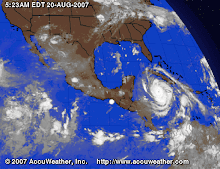
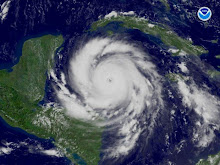
DEAN HURRICANE

DEAN HURRICANE
...verso il Messico

...spettacolare...

...spettacolare...

Dal satellite: Dean

Dal satellite: Dean